
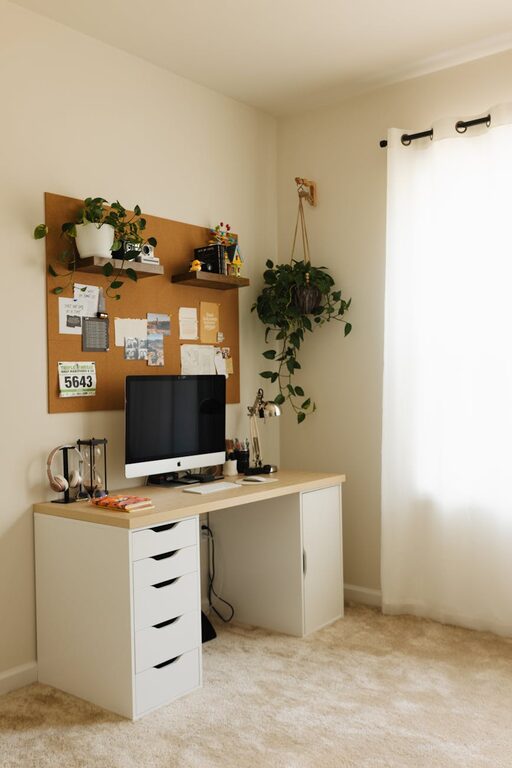
Creating a cozy and inviting home office space is essential for productivity and well-being, especially as more people work remotely or spend significant time at home. A well-designed workspace can boost focus, reduce stress, and invite creativity. Here are some practical tips to help you transform your home office into a comfortable and inspiring environment.
Choose the Right Location
Consider Natural Light
Natural light improves mood and helps regulate your body clock. Position your desk near a window to take advantage of daylight. If natural light is limited, opt for soft, warm artificial lighting to create a welcoming atmosphere.
Minimize Distractions
Find a quiet spot where noise and foot traffic are minimal. If a separate room isn’t available, use room dividers or noise-canceling headphones to maintain focus.
Invest in Comfortable Furniture
Ergonomic Chair
A supportive ergonomic chair is a must-have. It reduces back pain and helps maintain good posture during long working hours.
Functional Desk
Choose a desk with enough surface area for your computer, paperwork, and other essentials. Adjustable desks are a great option to alternate between sitting and standing.
Personalize Your Space
Select Calming Colors
Use soothing colors like soft blues, gentle greens, or warm neutrals to create a relaxing vibe. Avoid overly bright or harsh colours that can cause eye strain and fatigue.
Add Meaningful Decor
Incorporate personal touches such as artwork, plants, or photos. These items make the space feel more inviting and reflect your personality.
Organize Intelligently
Declutter Regularly
A tidy workspace promotes mental clarity. Keep only what you need within reach and store other items away neatly.
Use Storage Solutions
Shelves, drawers, and organizers keep supplies and documents in order. Label containers and files to save time and reduce frustration.
Enhance Comfort and Ambiance
Introduce Greenery
Plants not only add natural beauty but also improve air quality and reduce stress levels. Easy-to-care-for plants like succulents or pothos work well indoors.
Control Temperature and Airflow
Make sure your workspace is comfortable in terms of temperature. Use fans or heaters if necessary, and open windows for fresh air when possible.
Optimize Lighting
Layer Your Lighting
Combine ambient, task, and accent lighting to create a balanced environment. Task lamps with adjustable brightness are helpful for focused work.
Avoid Screen Glare
Position your monitor to reduce glare from windows or overhead lights. Use anti-glare screen protectors if needed.
Incorporate Technology Thoughtfully
Manage Cables
Use cable organizers or clips to keep wires tidy and prevent tangling. A clutter-free desk supports productivity.
Invest in Quality Equipment
A reliable computer, good headphones, and an ergonomic keyboard and mouse can improve comfort and efficiency.
Set Boundaries for Work-Life Balance
Define Office Hours
Establish specific working times to separate professional and personal life. Communicate this clearly with family or housemates.
Create a Ritual for Starting and Ending Work
Simple routines like making a cup of tea or tidying your desk can signal the start or end of your workday, helping your mind switch focus.
Conclusion
Designing a cozy and inviting home office is all about combining functionality with comfort and personal style. By choosing the right location, investing in ergonomic furniture, organizing efficiently, and creating a pleasant atmosphere, you can enhance productivity and well-being. Remember, your home office should be a space where you feel inspired and comfortable every day.